Can your customers send you their ideas without a hassle?
Imagine this.
A customer finds your store. They’re excited. They want a custom t-shirt with their own design. Or a mug with their pet’s photo. Or maybe a phone case with a motivational quote.
But here’s the problem.
They can’t send you the file. No upload options. No easy way. They’ll have to email it. Or message you. And maybe… they give up. Sale lost.
Custom orders thrive on simplicity. Customers need to share their vision instantly. That’s where the WooCommerce File Upload plugin (and similar tools) come in. They turn your product page into a creative gateway — where customers drop their designs right when they place the order.
Let’s dive into the best ones out there. The ones that make life easier for you and your customers.
Why File Uploads Are a Game Changer for Custom Products
Custom means personal. Personal means unique. And unique means you can’t do it without the customer’s input.
Think about it:
- That family portrait for a mug? Needs an upload.
- That brand logo for an embroidered shirt? Needs an upload.
- That PDF brochure for printing? Needs an upload.
Without it? Chaos. Emails. Miscommunication. Delays.
A built-in upload option on your product page fixes everything. Customers send exactly what you need. You get it right inside the order details. No chasing. No confusion. Just smooth sailing.
What to Look for in a File Upload Plugin
Not all file upload plugins are equal. Some are sleek. Some are messy. The good ones? They make it painless for everyone.
Here’s what you should look for:
- Many file types – JPG, PNG, PDF, DOC, MP4. You name it.
- File size limits – So you’re not stuck with a 500MB monster file.
- Required or optional uploads – Control it your way.
- Multiple uploads per product – Because one file is never enough.
- Customer notes – Let them tell you exactly what’s in the file.
- Price add-ons – Charge for extra processing if you want.
- Admin download access – One click. File in hand.
Get these features, and you’re golden.
5 Best WooCommerce File Upload Plugins
1. WooCommerce Upload Files Plugin by Motif Creatives
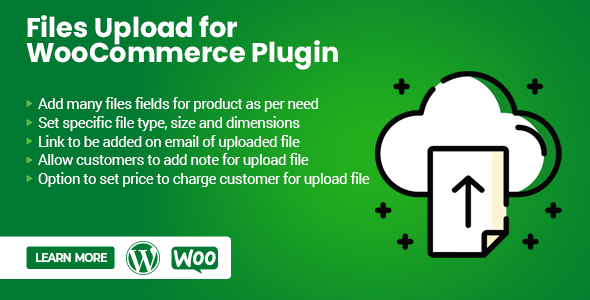
This one’s a workhorse.
Perfect for stores where files are the order — print shops, custom gift sellers, service providers.
What’s cool:
- Customers upload from the product page. No detours.
- Accepts almost every file type: images, videos, docs, spreadsheets, and audio.
- Single or multiple files.
- You decide if uploads are required.
- Restrict sizes and formats to avoid problems.
- Notes option for each file.
- Admin downloads everything from the order backend.
It keeps the whole process inside WooCommerce. From upload to checkout. Clean and organized.
2. WooCommerce Custom Product Designer
More than just uploads. This one lets customers actually design their products on your site.
Why it’s different:
- In-browser editor.
- Add text, shapes, and images.
- Upload personal designs to the canvas.
- Save and submit directly with the order.
Imagine someone designing a business card live on your store. Or a poster. Or a t-shirt. And you get the exact file you need, ready to print. That’s the magic.
3. WPForms with WooCommerce Integration
This is for the control freaks (in a good way).
If you want custom forms with uploads, WPForms has you covered.
Why it works:
- Drag-and-drop builder.
- Add upload fields anywhere.
- Show them only when needed with conditional logic.
- Collect extra customer info alongside files.
It’s flexible. It’s neat. And it blends nicely into any store design.
4. YITH WooCommerce Uploads
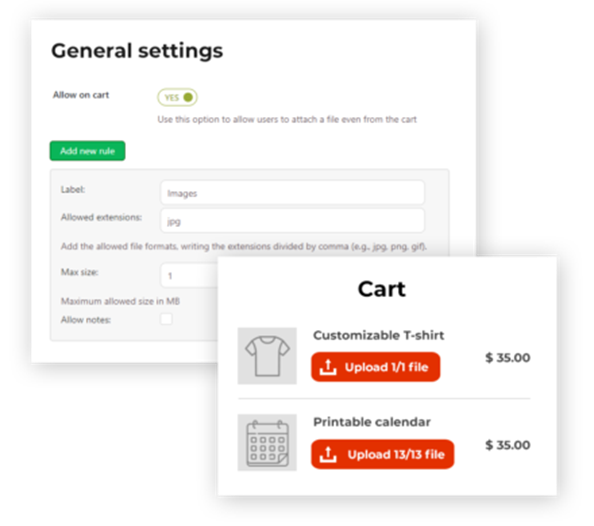
Solid. Reliable. Feature-packed. That’s YITH.
Best bits:
- Upload on the product page, cart, or checkout.
- Customers can replace files before confirming orders.
- Admin review before production.
- Restrict file types for precision control.
If you want a double-check system before going into production, this one’s your friend.
5. Fancy Product Designer
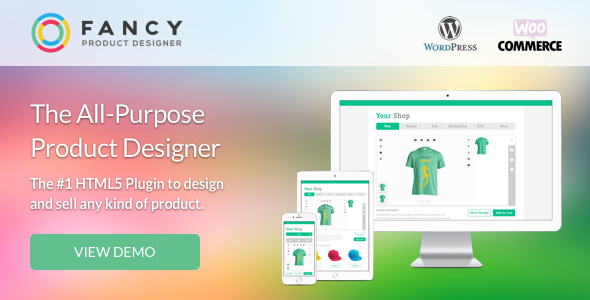
For the creative crowd.
It’s not just uploads. It’s complete product design freedom.
Standouts:
- Multi-layer editing — text, shapes, images.
- Upload custom files into the design.
- Preview instantly.
- Export high-res files for printing.
It’s flashy. It’s fun. And customers love seeing their product before they buy it.
Choosing the Right Plugin – The Real Talk
Let’s not dance around it. Choosing a plugin isn’t about picking the fanciest one. It’s about picking the one that works for your products.
If you need customers to send you files, nothing more — go simple. The WooCommerce Upload Files Pluginby Motif Creatives is your low-stress option. It’s quick. Affordable. Reliable. You turn it on, set the rules, and it just… works. No fluff.
But you may want more. You may want customers to play with designs before sending them. If so, Fancy Product Designer or WooCommerce Custom Product Designer gives them that creative playground. They upload their files, tweak layouts, adjust colors, and send you a ready-to-print masterpiece.
And then there’s the control freak’s favorite — WPForms. You build a form, your way. Need extra questions? Need to show upload fields only for specific products? You can. It’s not as pretty as the design tools, but it’s powerful for stores that need structure.
Here’s the golden rule:
- Selling one-off custom items? Go simple.
- Running a creative shop with personalization options? Go fancy.
- Handling complex, form-heavy requests? Go flexible.
Don’t overcomplicate it. The best plugin is the one you and your customers enjoy using.
Best Practices for File Upload Success
Truth time — a bad setup can make even the best plugin feel like a headache. The goal? Make file uploads so simple your customers barely think about them.
Do this:
- List accepted file types and sizes. Avoid the “wrong format” back-and-forth.
- Show examples of good file submissions. A picture beats a thousand confused emails.
- Always include a notes field. Sometimes customers need to say, “Print on the left side” or “Crop out the background.” Give them that space.
- Review files fast. The sooner you check them, the sooner you catch mistakes.
- Keep files organized. Name them, store them, and back them up. Your production team will thank you.
Small things. Big difference. The smoother the process, the happier the customer — and the faster you get paid.
Why Print Shops Love These Plugins
Print shops run on speed. A day lost waiting for the correct file is a day’s profit gone. These plugins? They’re like fuel for your workflow.
Here’s why they win hearts:
- No endless email chains. The file comes in with the order. Done.
- Built-in quality control. You set rules. Customers follow them.
- Customer confidence. They see you’ve got a professional system in place.
- Centralized storage. No digging through inboxes. Everything’s in your WooCommerce order list.
Imagine this: a customer uploads their design at checkout. You get a notification, click the file, and send it straight to production. No delays. No guessing. Just pure efficiency in action.
That’s why print shop owners swear by them — they don’t just save time, they save sanity.
Don’t Forget Security
File uploads can be risky if done wrong.
Stay safe:
- Limit file types.
- Keep your site updated.
- Store files securely.
- Use HTTPS for file transfers.
Customers trust you with their files. Keep them safe.
Wrapping Up – Make Custom Orders Effortless
Your customer’s file is the soul of their custom product. If they can’t send it easily, you’re losing money.
With the right plugin, you make it seamless. They upload. You download. Job done. From mugs to hoodies, brochures to banners — file upload plugins bridge the gap between idea and reality. Pick the one that fits your workflow. Set it up with clear rules. Then watch your custom orders run like clockwork.

I am a Tech geek and blogger, a seasoned freelancer, and my hobby is to enlighten my views and skills that will helpful for new inductions of the industry.